

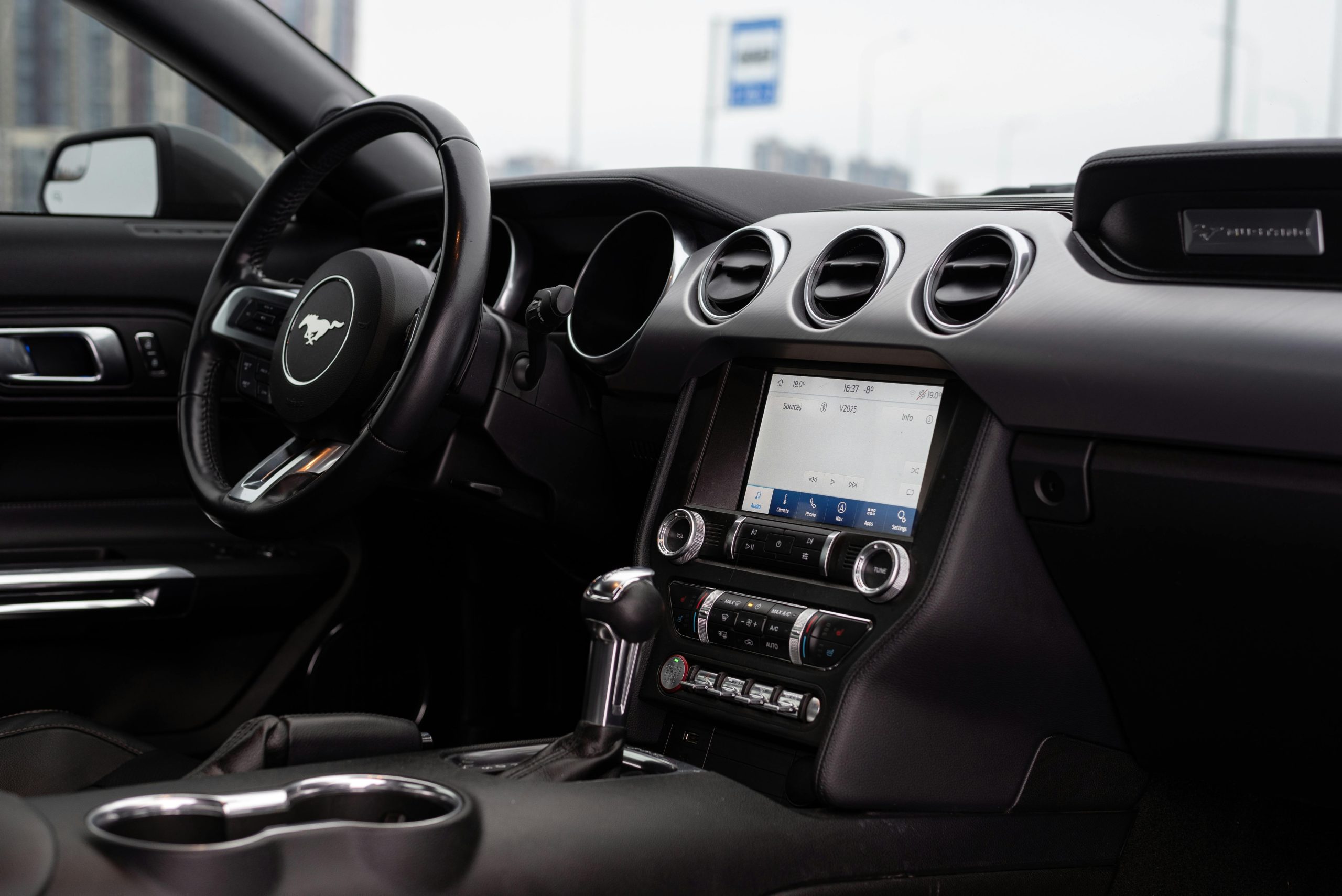
Ford SYNC technology will transform the way you communicate with your car. It works by connecting your phone or other mobile device to your vehicle via the USB port or through Bluetooth wireless technology. Once connected, you’ll have access to a variety of apps and features through the convenience of your car’s controls. This innovative technology can revolutionize the way you drive, but to reach its full potential, you have to be able to use it.
At John Kennedy Ford Feasterville, Pennsylvania, we’ll walk you through the process of connecting to your Ford SYNC system. The process is straightforward, and when you’ve done it once, you’re sure to remember how to connect on every trip thereafter.
Ultimate Guide to Connecting Your Phone to Ford SYNC for Music Playback
If you’re interested in buying a new or used Ford vehicle, you’re in luck. All new Ford vehicles, including many used cars, use Ford SYNC technology. While playing music is certainly one of the benefits of connecting to Ford SYNC, there are many reasons why you’ll want to take the time to explore this feature when you purchase your next Ford.
Why Connect Your Phone to Ford SYNC? Benefits and Features
By connecting to Ford SYNC, you immediately gain access to an impressive list of features. One of the most-used features is hands-free calling. Many state laws prohibit the use of hand-held devices while driving, making hands-free connectivity more important than ever. Make phone calls, send text messages, and listen to conversations over your car’s speakers while connecting to SYNC.
Another key feature of Ford SYNC is allowing you to access your phone or mobile device’s navigation system over the infotainment screen. Your directions, traffic updates, and more will be displayed on your car’s screen, enabling you to keep your eyes on the road while navigating to your destination.
Connecting to SYNC technology will allow you to access and control a variety of apps while driving. For example, you can use audio controls to switch from listening to FM radio to satellite. If your car is equipped with Apple CarPlay or Android Auto, the SYNC system will allow you to use voice controls to access apps on your phone as well, including music streaming or shopping apps.
Preparing Your Devices for Connection
Before you start your Ford SYNC setup, you’ll want to make sure to take a couple of steps to ensure the connection goes smoothly. Here are a few tips to make sure you’re able to connect with ease.
Ensuring Your Ford SYNC Is Updated
If you’ve just purchased your vehicle or if you’ve had it for a while but haven’t connected your phone to Ford SYNC lately, the first thing you’ll want to do is ensure the Ford SYNC technology is up to date. If you’re unsure about the status of your system, you can enter your vehicle identification number, or VIN, on Ford’s website, which will let you know if your system is due for an update.
If your vehicle’s system needs to be updated, you can use your infotainment touch screen to go to the “Settings” area. Ensure that “Automatic updates” is turned on. Click “Scan for updates,” and your vehicle will connect over the airwaves to search for the updated file. For a faster option, you can download the updated file to a USB drive on your computer from the Ford website and then insert the USB drive into your car’s USB port to transfer the file.
Checking Bluetooth Compatibility on Your Phone
Ford Bluetooth connection is a necessary component of SYNC technology, so you need to make sure your phone or other mobile device has Bluetooth capabilities. For most devices, this information can be found under the “Settings” section. Ensure Bluetooth is turned on before attempting to connect to SYNC.
Preparing Essentials Before You Start: USB Cable and Connectivity
While Bluetooth technology is included in the SYNC system, it’s useful to have a USB cable because many car models use it to connect to Apple CarPlay and Android Auto, as well as charge your phone.
Step-By-Step Process To Connect Your Phone to Ford SYNC
To enjoy features such as hands-free calling, navigation, and music while driving, connect your phone to your car’s audio system by following these steps:
- Turn on your phone or mobile device and ensure Bluetooth is switched on.
- Start your car’s engine and shift into park mode.
- Touch “Phone” on your infotainment touch screen, and touch “Add phone.” This displays a unique PIN, making the SYNC system discoverable on your device.
- Open the Bluetooth settings on your phone and find SYNC.
- Select “SYNC,” and a message will pop up displaying the PIN. Some phones might ask you to enter the PIN manually.
- Click “Pair” on your phone and touch “Yes” on your vehicle’s touch screen to confirm that the PINs match.
- Check that “Pairing successful” displays on your vehicle’s infotainment screen to show your phone has connected.
After pairing your phone to your vehicle, you can use SYNC to tell it what music to play. You can specify an artist, song, playlist, or genre you want to hear and also access music streaming apps such as Spotify or Apple Music.
Get Connected With Ford SYNC Today
Connecting to Ford SYNC is easier than ever, and once connected, you’ll be on your way to enjoying hands-free listening on your next journey. If you have any questions about Ford SYNC, including which Ford vehicles have it, or if you need help connecting your phone, don’t hesitate to reach out and contact us at John Kennedy Ford Feasterville, Pennsylvania, today.
Connect with us

